 You write · the agent keeps house
Write·Flex
A keyboard-first Markdown editor. You drive every word; an agent proposes changes you review before they reach your text.
Coming soon for macOS (Apple Silicon) and Windows · Free & open source (MIT) · your writing never leaves your computer, except what you send to a model you choose.
Recently added
- An action bar above the editor puts common writing commands one click away. You choose its buttons, and you can hide it.
- The agent sees the open piece, your selection and the writing mode, so you no longer paste them into the chat.
- Notes the agent leaves about a piece are filed in an
agent-notes/folder, never beside your writing, and appear next to the piece in the Agent notes pane. - An exported HTML document can open on a front page with its title, standfirst and details.
- People you send a document to can add notes and suggest edits in it, and return both to you in one file.
- Quick-open and the Files filter find a name from words typed in any order.
Writing, not formatting
Drafting and Reviewing
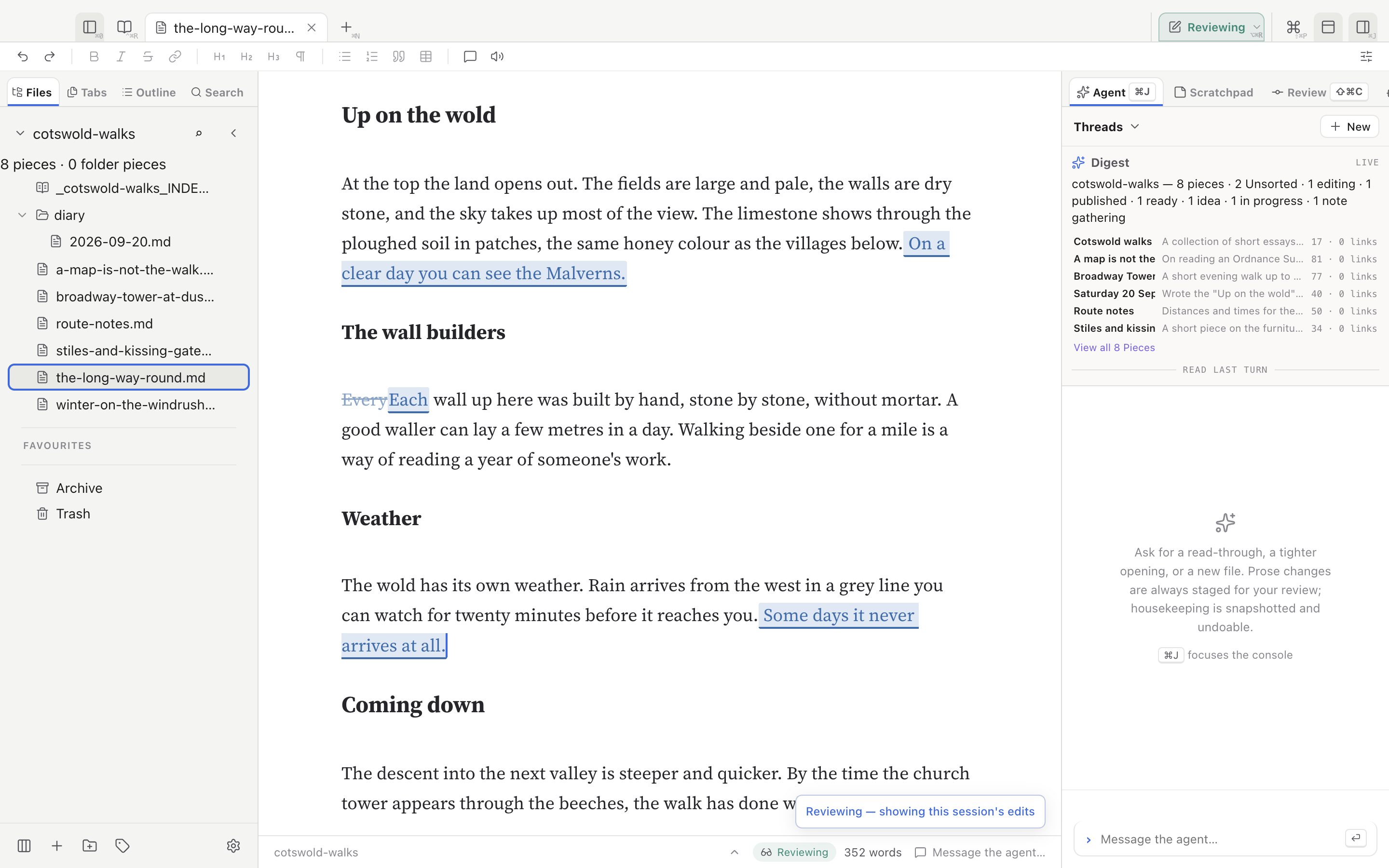
In Drafting your edits simply become the text. In Reviewing every change is tracked, your own included, so you can read it back and keep or undo it. ⌥⌘M switches between them.
Rendered as you write
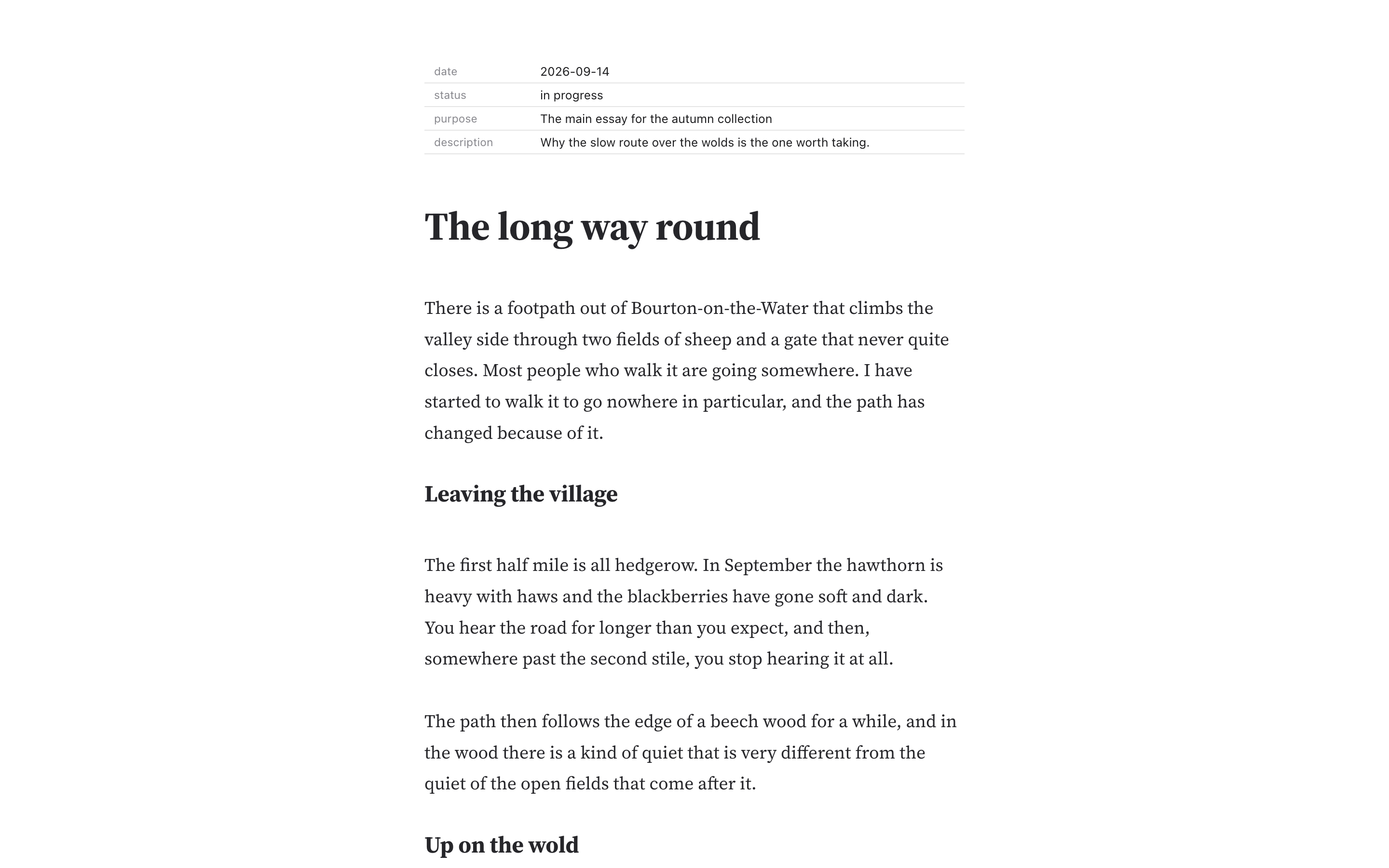
Headings, lists, tables and metadata render on the page. Select a block and press ↵ to edit its Markdown, ⌘↵ to finish. The file on disk stays plain Markdown.
Typewriter and distraction-free
⌘T holds the line you are writing at a steady height. ⌥⌘D hides the toolbar and status bar. Focus modes fade other paragraphs or highlight the current sentence without changing the text.
Structure from the keyboard
Move whole sections
⌃⌘↑ and ⌃⌘↓ move the current block. Add ⇧ to move a heading with everything under it. Moving a section back restores the document exactly.
Raise and lower levels
⌃⌘← and ⌃⌘→ change the level of a heading or list item; with ⇧, everything under it moves level too. ⌃⌘M turns the current line into a heading.
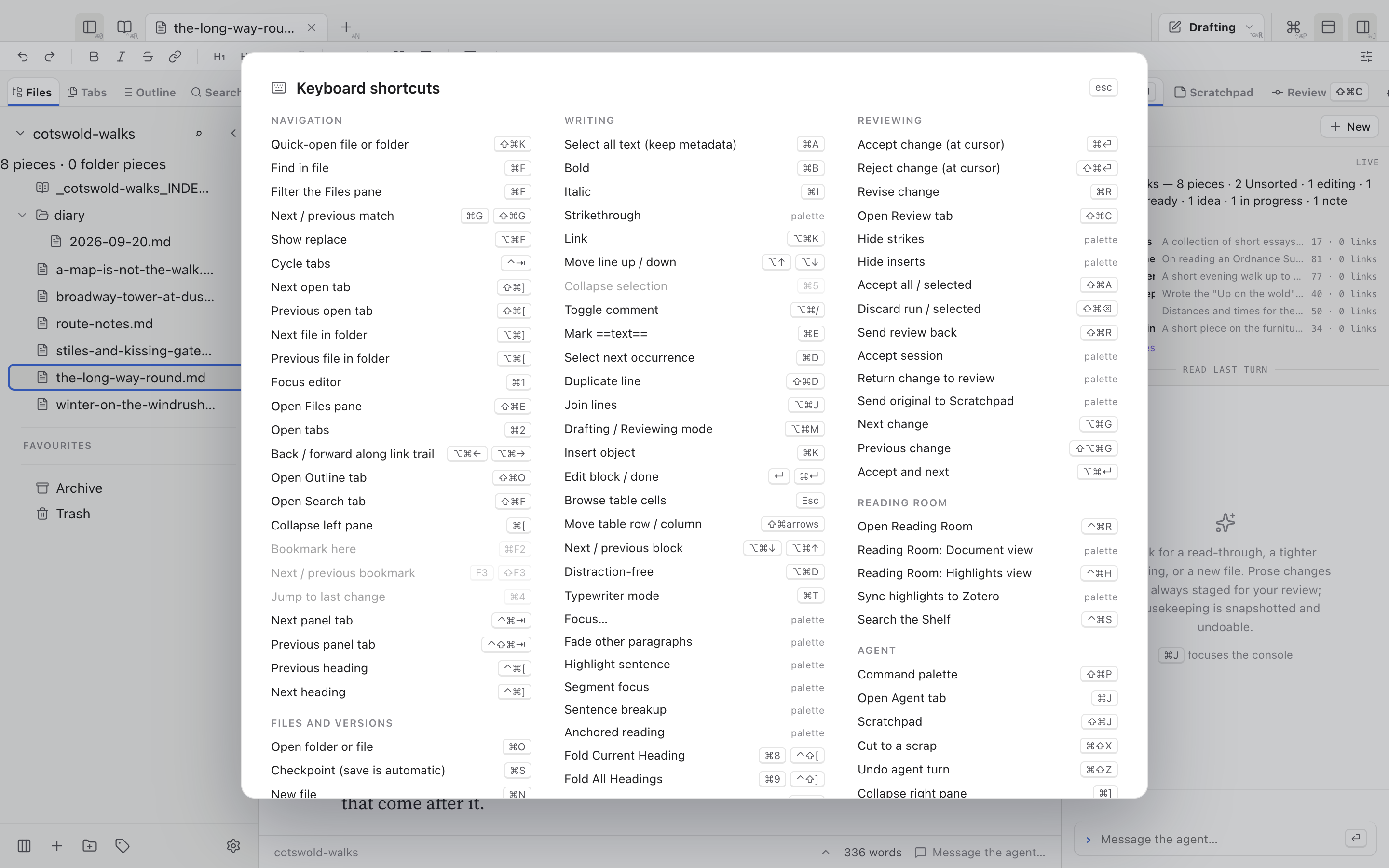
Outline, palette, cheat-sheet
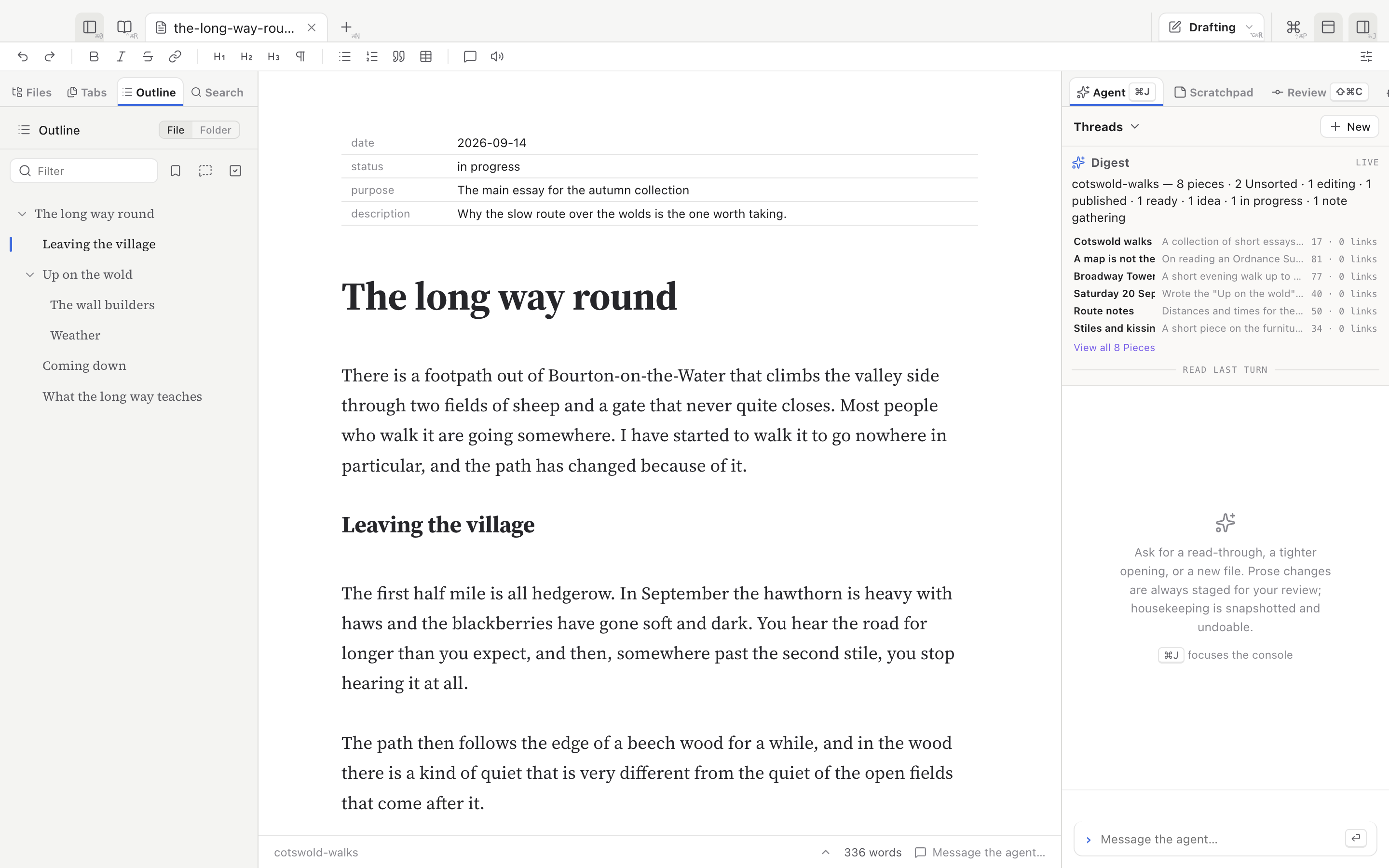
⇧⌘O opens the outline beside the text: arrow keys move, ↵ jumps. ⇧⌘P opens the command palette, ⌘/ lists every shortcut, and you can rebind any of them in Settings.
The agent keeps house
Prose edits wait for you
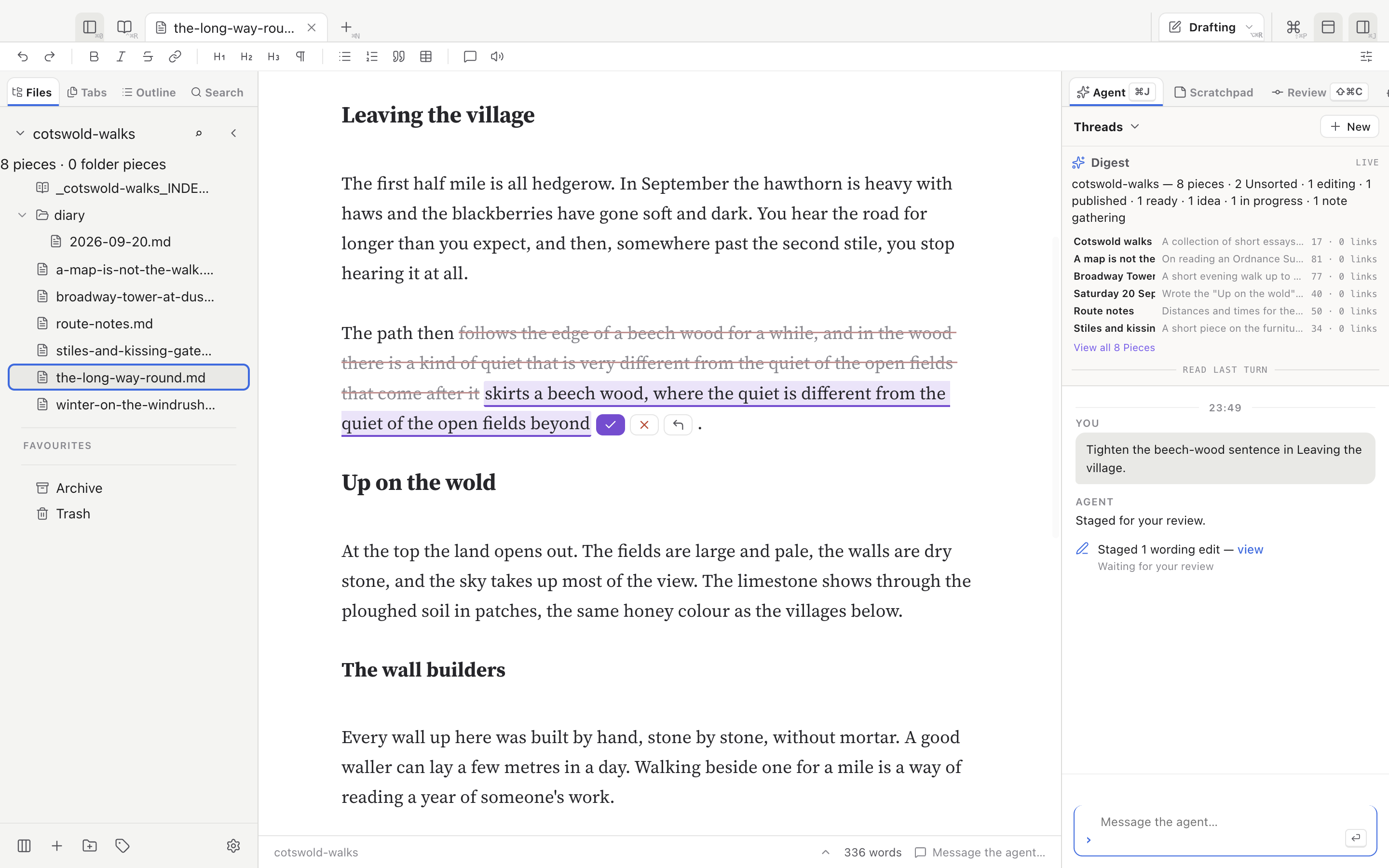
The agent proposes one change at a time. It shows in your text as a deletion and an insertion with accept and reject buttons. Nothing reaches your prose until you accept it.
Housekeeping under a snapshot
New files and renames apply straight away, because they are easy to check and easy to reverse. Every save and every agent write is kept in the Workspace history, and Undo agent turn reverts the last turn's writes.
Notes and skills
Reviews and comments the agent writes go into an agent-notes/ folder and show beside the piece in the Agent notes pane. Copy-edit, Review and Clean-up run on the whole document from ⌥⌘1, ⌥⌘2 and ⌥⌘3.
Workspaces
Any folder is a Workspace
Open a folder of Markdown files and everything works at once, with no import step. The history is kept in a .bridle folder inside it.
One window per Workspace
Each window has its own tabs, agent conversations and history. Opening a single .md file opens the folder it belongs to, with that file in front.
Find anything
⇧⌘K opens a file or folder by name, from words typed in any order. ⇧⌘F searches the text of every file in the Workspace; ⌘F finds within the document.
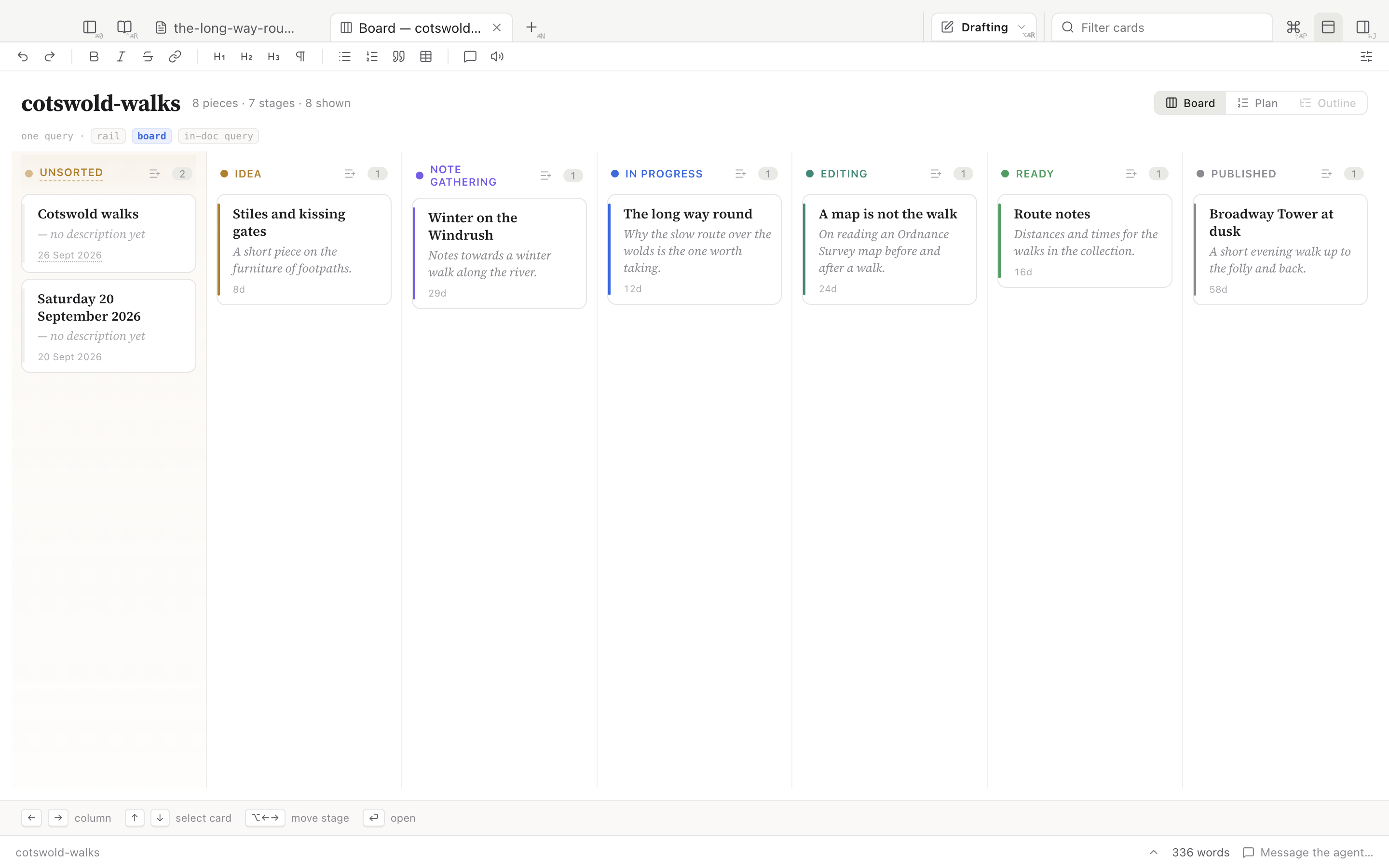
Collections, the Board, Folios and the Diary
Collections
Every folder is a Collection of separate pieces. Status, date and purpose live in each file's metadata; a piece without metadata shows as Unsorted and its file is not changed.
The Board
⇧⌘B shows a Collection as columns by status, from idea to published. ⌥← and ⌥→ move a piece between columns, and its status changes to match.
Folios
A folder that becomes one document in ordered parts. The Plan shows the running order, which parts are written and their word counts, and lets you add a part before it exists.
The Diary
Choose a Diary folder in Settings. Writing in a Collection you mark as counted is recorded into a dated day entry, with words written and minutes spent.
Listening
Hear your draft
⌃⌥R reads the piece aloud with a system voice and highlights the paragraph and sentence being spoken. Typing, clicking or scrolling pauses it; it carries on from your cursor.
Made for editing
Skip by sentence or paragraph, set the speed between 0.5× and 2.5×, and press ⌃⌥J to return to where the reading was.
Typing sounds
Optional typing sounds recorded from a 1940 Erika 5 manual typewriter, an electric Smith-Corona and an ordinary keyboard, and ambient rain.
The Reading Room
Needs Zotero installed, with your library on this computer.
Your library beside the draft
⌃⌘R opens a PDF reader next to your piece. The Shelf (⌃⌘S) searches your whole Zotero library and opens the document you pick.
Quote and cite
Drag or copy a passage from the PDF into your draft. It arrives with a citation chip, and a Zotero highlight is created at the passage.
Highlights
Highlight in five colours, mark an area of a page, or bookmark a place. The Highlights view (⌃⌘H) lists every mark in the document, and Sync highlights sends them to Zotero.
Send a document
One file to send
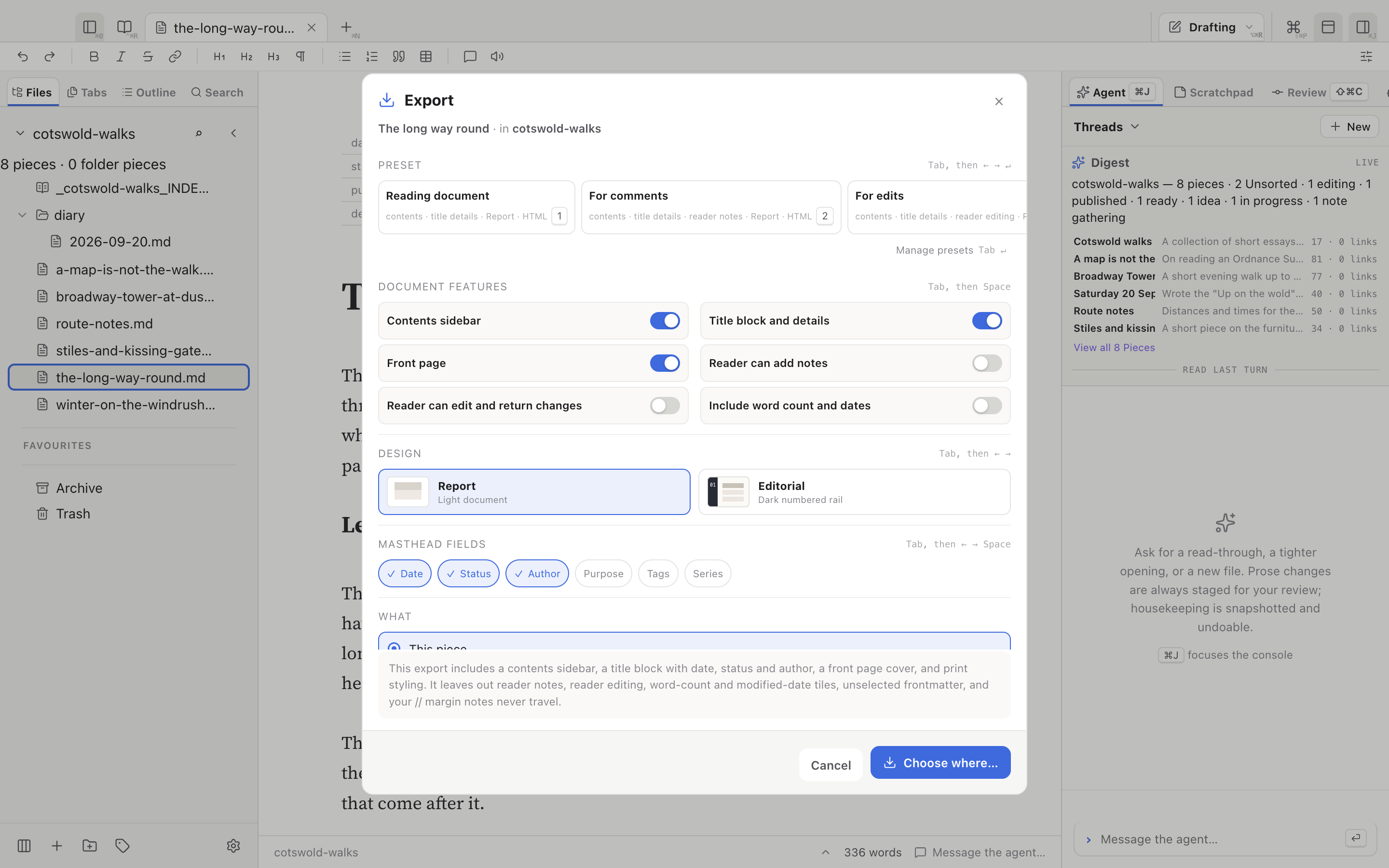
⌥⌘E exports a piece or a whole Collection as a single HTML file with its contents, images and styles inside, or as a Word document.
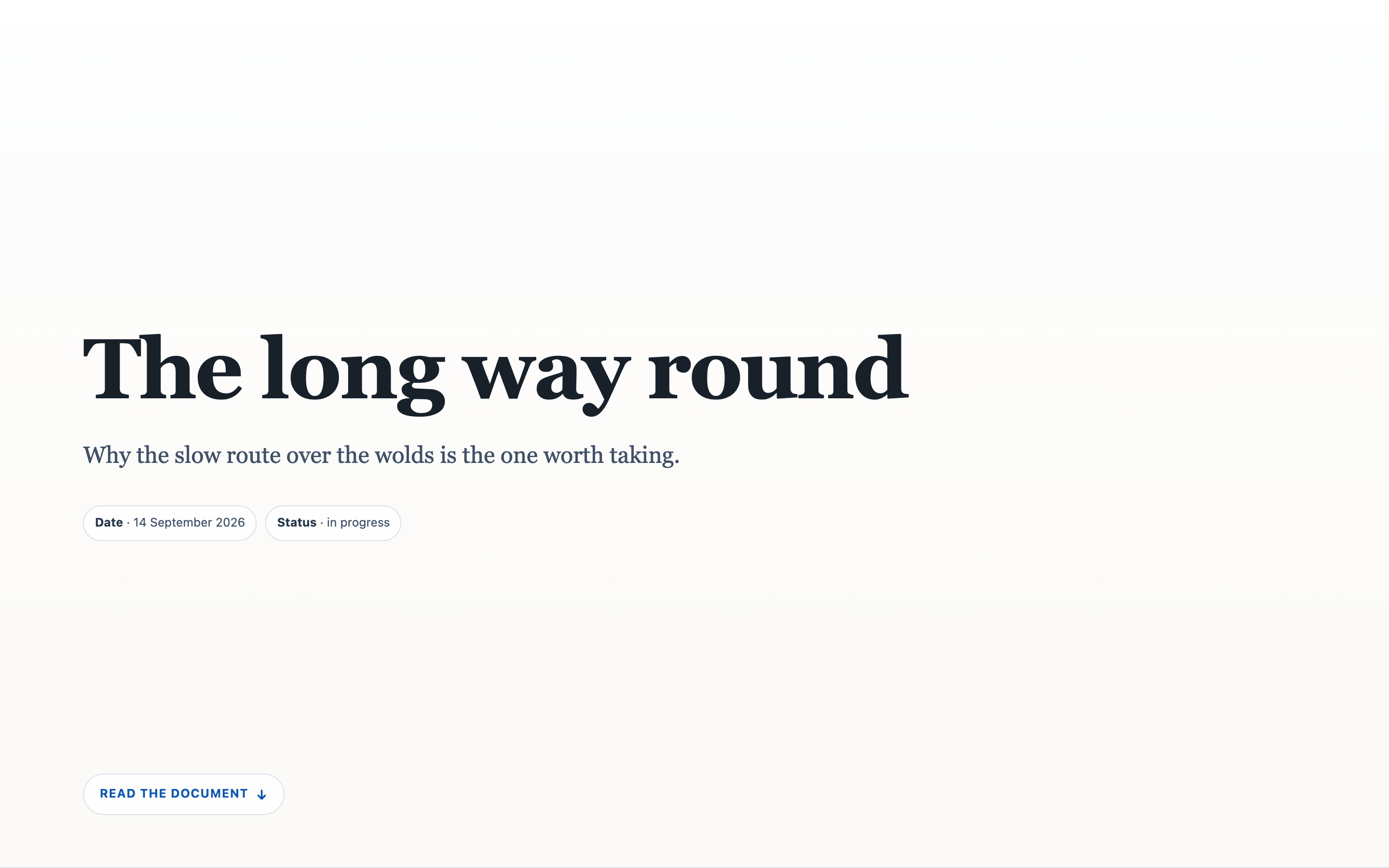
A front page
Switch on Front page and the document opens on a cover with its title, standfirst and details. In print the cover is page one, followed by a contents page.
Readers reply in the file
With reader notes or reader edits on, the person you send it to can annotate or rewrite passages in their browser and send everything back as one file. No server and no account.
Choose your model
Your ChatGPT plan
Sign in once with your ChatGPT account from the Agent pane. The session is kept between restarts.
Z.ai
Paste a Z.ai Coding Plan API key. Use is metered by Z.ai.
Anthropic
Paste an Anthropic API key, billed at Anthropic's API prices.
Keys are stored in the app's data folder on your computer and are never shown in the app or in the agent's record of its work.
Keyboard, everywhere
Every command is in the palette (⇧⌘P) and in the cheat-sheet, and any shortcut can be rebound in Settings → Shortcuts.
Install
macOS (Apple Silicon)
Open the .dmg and drag WriteFlex to Applications. The build will be signed and notarised by Apple, so it opens normally.
Windows
Run the installer. The build will be unsigned, so SmartScreen will warn on first launch: choose More info → Run anyway.
No account
There is nothing to sign up for. Your writing is Markdown files in a folder you pick. You need a model account only for the agent.
Get started
WriteFlex is coming soon. Once it is out: download the app, open a folder of Markdown files and start writing. Press ⌘/ at any time to see every shortcut.